AutoLight
A machine-learning desktop app that learns a photographer's editing style from their Lightroom catalogs, and delivers it back into Lightroom. Designed and built solo.
- Role
- Founder, sole engineer
- Period
- 2025-present
- Stack
- TypeScript, Electron, React, PyTorch
The problem
A wedding photographer can come home with four thousand frames, and most of the hours after that go to editing them. Most of that editing is the same handful of habits: this much exposure, that tone curve, these colors pulled back. A photographer’s own Lightroom catalogs already hold years of those decisions.
AutoLight learns from them. Point it at catalogs you’ve already edited and it trains a model on your slider habits. Then hand it a new shoot and it delivers edits back into Lightroom for you to review. It runs entirely on your machine: no presets, no uploads, and your RAW files never move.
Constraints
- The catalog is sacred. A Lightroom catalog is an undocumented SQLite database holding years of a photographer’s work. Damaging one is not a bug; it’s the end of trust.
- Local only. No cloud training, no account, and it has to work offline.
- One person. Every moving part has to earn its maintenance cost.
- The model sees very little. It learns from a small preview of each photo, not the RAW, so anything a preview can’t show, it can’t learn.
Decisions
Deliver into Lightroom, not beside it
The obvious design renders edited photos in the app and lets you approve them. I didn’t build that. An in-app renderer would never match Lightroom’s own, and it would fail quietly: a photo that looks slightly wrong is worse than one that’s plainly missing. Catalog writes, on the other hand, are testable, deterministic, and fail loudly.
So AutoLight writes its edits into the catalog as Lightroom’s own virtual copies, grouped in a dated collection, and you review them in the tool you already know. Lightroom doesn’t document how a virtual copy is stored, so I worked it out by diffing the one real virtual copy in a test catalog against its master across all 133 tables. A virtual copy turned out to be rows in about seventeen of them.
Every write goes into a copy of the catalog, never the original, and is gated on a SQLite integrity check plus a row-count reconciliation. A pass that fails its checks is reported as a failed pass, never as work done. Writing onto the original is possible, but only as an explicit action that backs the catalog up first. I also considered XMP sidecar files, which are safer to write, but they need a manual “Read Metadata” step in Lightroom and can’t make virtual copies.
Draw a hard line between the app and the model
The first version was a Python prototype, and the desktop app grew around it. That left two places that both thought they knew where files lived and what work came next. I drew one rule and enforced it:
Python answers “here’s the result of the work you asked for.” It never answers “what should I work on?”
The Python ML core became a stateless worker: absolute paths and parameters in, a stream of JSONL events out, then exit. Everything about state (what exists, where it lives, which jobs are running) belongs to the Electron side, behind a typed contract shared by both TypeScript halves. Retiring the prototype’s UI and its duplicated bookkeeping removed about 900 lines. Jobs persist to SQLite and survive the window closing mid-training.
Measure before believing
A model that edits photos always looks like it’s working, because almost any edit looks plausible on its own. So I built a benchmark that tests the model the way it’s really used: train on some shoots, then edit a shoot it has never seen, and compare against simple baselines. Every comparison runs against a control, and training is seeded, so two runs on the same photos produce bit-identical weights. Before that, a difference between two experiments could be noise.
The benchmark changed the roadmap. Learning a photographer’s style within one shoot is the easier part. Carrying it to a shoot the model has never seen is the hard part, and it’s where the work is now.
What I built
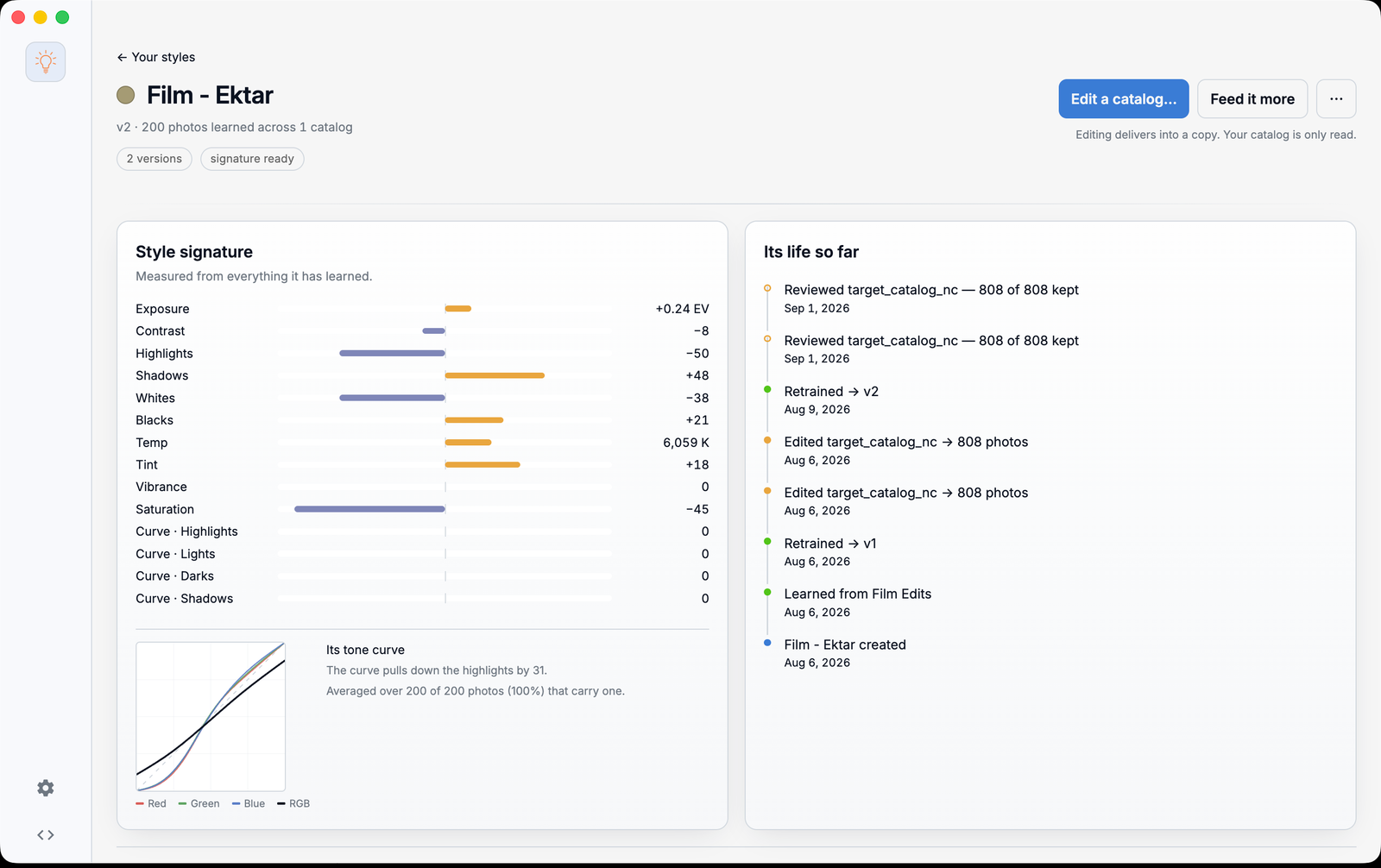
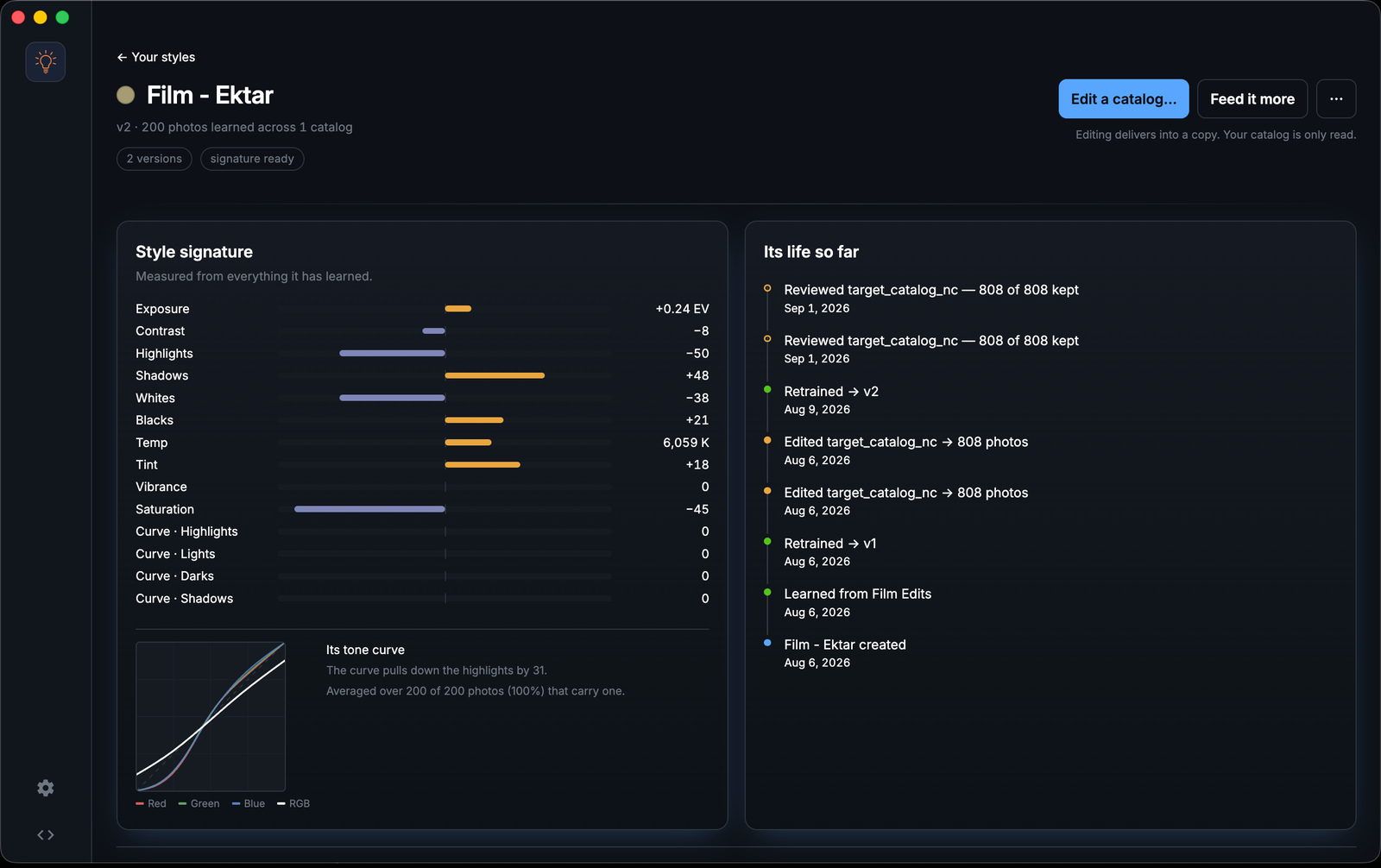
The app is built around three nouns. A Style is a model with an identity: what it learned from, its versions, and a measured signature of its habits, as in Fig. 01. A Catalog is a Lightroom catalog you’ve introduced to the app. A Pass is one delivery of work: a Style, a catalog, and a validated result. Drag a catalog onto a Style and choose whether it should learn from it or edit it.
Lightroom compatibility is tested rather than assumed: every catalog version from Lightroom Classic 6 to 15 has a real specimen in the test suite, and the reader, the write, and the “was this photo actually edited?” check are proved against each one. That last check exists because no catalog field says whether a photo was edited, so AutoLight works it out from the develop settings themselves and only learns from photos you actually touched.
Results
- catalog versions tested, each against a real specimen
- LrC 6-15
- automated tests across six suites, including Playwright driving the real app
- 1,600+
- peak memory to run a whole 4,249-frame wedding, down from ~28 GB
- 1.4 GB
- faster training on Apple silicon once the ML core moved to Metal
- 5.6×
The whole loop works end to end: watch a catalog, notice new edits, learn, deliver, review, correct, learn again. Every step waits for the photographer to say go. Keeping or deleting a delivered virtual copy feeds back into the next round of learning as confirmation or correction. AutoLight is in early access; there’s a waitlist at autolight.ai.
What I’d do differently
Build the benchmark first. I spent the first year making the loop work end to end, and only then built the instrument that showed where the model actually stood. It moved the project’s priorities more than any feature did, and it would have moved them sooner.